
Car Fireplace
WisemenAuto & Vehicles
3.71.00 Reviews
- Version
- 1.0.1
- Installs
- 100.00K
- Age Rating
- Everyone
Screenshots
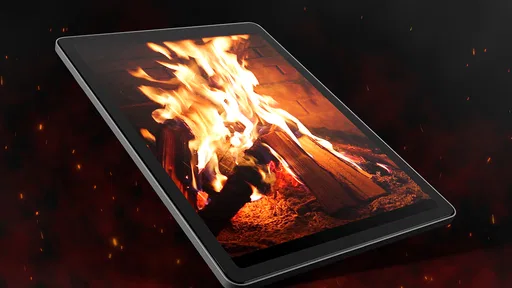
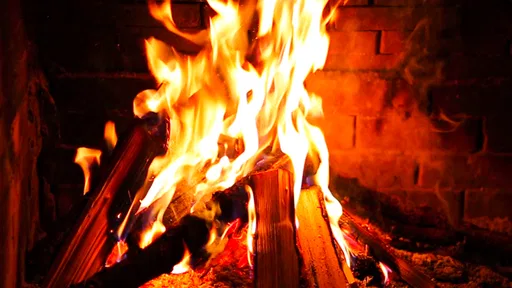
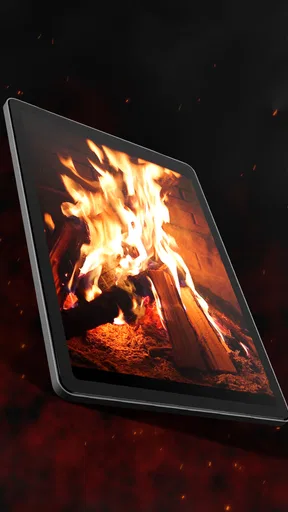
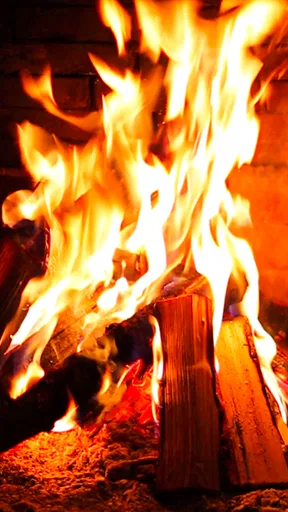
Our Review of Car Fireplace
 Analysis by Appyee
Car Fireplace is an unusual Auto & Vehicles app from Wisemen. Instead of helping me navigate, track maintenance, compare fuel prices, or manage a car, it turns the phone into a small digital fireplace. I found that simple idea more pleasant than I expected, especially when I wanted a calming visual nearby without setting up anything in the room.
The app is free, rated for Everyone, and available for devices running Android 9 or later. Its current version is 1.0.1, and it has passed the hundred-thousand-install mark with an average rating of 3.7 from roughly eighty ratings. Those figures suggest that it has attracted a modest but real audience, although the relatively limited feedback means I would judge it mainly by the experience it offers rather than by its store reputation.
What to expect from this unusual vehicle-themed app
The first thing to understand is that Car Fireplace is not a driving utility. The “car” connection is the theme: the app is intended to give you the feeling of a fireplace while you are sitting in a vehicle or anywhere else you happen to be using your phone. That makes it a niche relaxation tool rather than a practical motoring companion.
I would approach it with a very specific expectation: this is a visual comfort app, not a replacement for a real fire, a dedicated ambient display, or a full meditation platform. Its appeal comes from convenience. If I am parked, waiting, or relaxing indoors, I can open it and create a fireplace-like atmosphere without carrying equipment or preparing a room.
That narrow purpose is also its main strength. There is no need to learn a complicated system before getting value from it. A first-time user should be able to install the app, open it, and understand the central idea almost immediately. The experience is best when treated as a small background companion rather than something that demands constant interaction.
One important safety point is worth making at the start. A phone screen does not produce the warmth of a fire, and an app cannot make an enclosed car safer or more comfortable by itself. I would only use it while parked, never while driving, and I would avoid leaving the phone in direct sunlight or in a position where it distracts me. The calming effect is visual; it should not be confused with heating, ventilation, or a safety feature.
The best setting for a first trial
For a meaningful first test, I would choose a quiet moment rather than opening it in the middle of a busy journey. A parked car during a break is a natural use case, but a desk, bedside table, or living-room corner can work just as well. Lowering nearby distractions makes it easier to decide whether the fireplace presentation actually helps you relax.
I also recommend starting with the phone at a comfortable viewing angle. If the screen is lying flat or reflecting a bright lamp, the effect can feel less convincing. A simple stand or safe dashboard position can make the visual easier to enjoy, but the phone should never obstruct the windshield, controls, mirrors, or your view of the road.
Because the app is free, there is little financial risk in trying it. The more meaningful question is whether you personally enjoy a simulated fireplace enough to keep it available. People who want a quick visual mood setter may appreciate that simplicity. People expecting vehicle information, sound controls, timers, or a broad relaxation toolkit may find the concept too limited.
Getting started without overthinking the setup
Installation should be straightforward for a compatible Android phone. Once Car Fireplace is installed, I would open it while stationary and give the opening screen a moment rather than immediately searching for a menu. With an app this focused, the main screen is likely to be the experience itself, so the first useful action is simply observing what appears and identifying how the app responds to a tap or swipe.
There is no reason to create a routine around complicated configuration. My suggested setup is practical: place the phone somewhere stable, set a comfortable screen brightness, silence unrelated interruptions if you want a calmer session, and keep the device within reach without holding it while driving. These steps are not special app features; they are habits that make a small ambient app more pleasant and safer to use.
A useful first-time check is to see whether the display remains comfortable after several minutes. A bright screen can feel relaxing at first and tiring later, particularly at night. I would reduce brightness if the glow feels harsh, and I would avoid using the app in a completely dark car if the screen becomes a distraction. The right level depends on the surroundings, so a few small adjustments matter more than searching for a perfect setting.
Another sensible check is battery awareness. A screen-based fireplace can keep the display active, and any app used as an ambient visual may consume more power than an app that is opened briefly and closed. I would not begin a long session with a nearly empty battery, especially if the phone is also needed for navigation, emergency calls, or communication. In a parked car, charging may be convenient, but I would still keep the cable arranged so it cannot interfere with the driver.
Your first successful action
The first success is not finding a hidden feature; it is creating a comfortable, distraction-free fireplace moment. Open the app while parked, position the phone so the screen is visible without blocking anything important, and let the visual run while you take a short break. If that makes the space feel calmer, the app has already done what it was designed to do.
I would test it with a short session before using it as a regular background display. Notice whether the animation feels soothing or repetitive, whether the screen is easy to see, and whether the phone stays cool and accessible. This small trial answers the most relevant question faster than reading a long feature list: does a digital fireplace improve your particular setting?
There is also a useful workflow for people who spend time waiting in a vehicle. Park first, finish any messages or route planning, then open the fireplace only after the practical tasks are complete. That separates the app’s relaxation purpose from phone use that requires attention. When the break ends, close it before starting the engine or moving the vehicle.
For indoor use, I would place the phone beside a chair rather than directly in front of my face. The effect works better as a peripheral visual than as something I stare at continuously. This also reduces the temptation to keep touching the device and turns the app into a background element instead of another source of screen fatigue.
Common confusion about the car theme
The biggest possible misunderstanding is assuming that this belongs alongside navigation, parking, fuel, or repair apps simply because it appears in the Auto & Vehicles category. It does not serve those practical needs. Wisemen has used a vehicle-oriented label for an app whose actual purpose is ambient relaxation, so I would not install it expecting trip assistance or car data.
A second point is that the app should not be treated as a heater. The fireplace image may suggest warmth, but the phone remains a phone. If you are cold in a parked vehicle, the correct response is to use appropriate heating safely, move to a suitable location, or end the wait. The app can add atmosphere, but it cannot solve a temperature problem.
Some users may also expect a complete fireplace simulator with extensive customization. The store positioning is centered on experiencing a fireplace anywhere and anytime, not on presenting a large toolkit of controls. I would therefore judge it by how quickly it creates the intended mood, rather than assuming it should include the options found in a dedicated ambient-media application.
Sound is another area where expectations can easily drift. A visual fireplace and a fireplace soundtrack are not the same thing. If you want crackling audio, music, guided breathing, or a sleep timer, you may need a different app or a separate audio source. Car Fireplace makes the most sense when the visual itself is enough, or when you are happy to pair it with something else without expecting the fireplace app to manage the whole session.
Where it fits better than ordinary alternatives
Compared with a real fireplace, the obvious advantage is portability and preparation time. There is no wood, ash, smoke, chimney, or room to heat. That makes the app useful in places where a real fire is impossible, including a parked vehicle during a break or a small room where an actual flame would be unsuitable. The trade-off is equally obvious: the screen offers atmosphere without genuine heat, scent, depth, or the unpredictable movement of a real flame.
Compared with a fireplace video, Car Fireplace may appeal to someone who wants a purpose-built, minimal experience rather than browsing through long videos. A video platform gives you more choice, but it also brings recommendations, controls, unrelated content, and the possibility of interruptions. The dedicated app is more focused. On the other hand, a video may be better if you want high-resolution scenery, long-form audio, or a particular visual style.
Compared with a meditation app, this is much less structured. Meditation software can guide breathing, provide sessions, and help establish a routine. Car Fireplace is better for people who do not want instruction and simply prefer a quiet visual to accompany a pause. If you need help concentrating, sleeping, or managing a specific practice, a dedicated wellness app will probably be the stronger choice.
Compared with a static wallpaper, the fireplace concept should feel more alive because it is intended to evoke movement and atmosphere. The benefit is a more engaging visual; the cost is that an animated display can be more demanding on attention and battery than a still image. That trade-off matters if you want the phone to remain available for other tasks.
Who will get the most from it
I think the app suits a small but clear group. It is a good fit for someone who enjoys ambient visuals, takes regular breaks in a parked car, wants a simple calming screen at a desk, or likes the idea of carrying a fireplace effect without extra equipment. It may also work for someone who wants a gentle background during a quiet evening and does not need a full collection of relaxation tools.
The app is less suitable for drivers looking for useful vehicle functions. It is also not the best choice for anyone who needs heat, detailed customization, guided relaxation, or a reliable way to play long audio sessions. If your main goal is fuel tracking, route planning, roadside assistance, or maintenance reminders, Car Fireplace will not replace a purpose-built automotive app.
Families should find the Everyone rating reassuring in terms of intended audience, but ordinary screen habits still apply. I would avoid handing a phone to a child in a moving car as a distraction, and I would keep the device secured rather than letting it become loose inside the vehicle. The age rating describes the app’s audience; it does not remove the need for sensible use around roads and vehicles.
Small habits that improve the experience
My first practical tip is to define the app as a break signal. Open it only after parking and completing urgent phone tasks. Over time, that sequence can make the visual feel associated with rest rather than with endless scrolling. This is more useful than leaving it running whenever the phone is idle.
My second tip is to use the environment to support the screen instead of asking the screen to do everything. Dim nearby lights, choose a stable viewing position, and keep the display at a level that does not strain your eyes. The app’s value comes from the combination of its image and the setting around it.
My third tip is to protect the phone’s practical role. If you are in a vehicle, keep navigation, calls, and emergency access more important than the fireplace effect. Start the ambient session only when you are safely stationary, and close it before moving. That simple rule prevents a relaxing idea from becoming a driving distraction.
A fourth useful trade-off is to decide whether the phone should be dedicated to the visual for a while. If you keep switching between the fireplace and other apps, the mood disappears quickly. If you need the phone for work or communication, a separate ambient display or a low-tech alternative may be more convenient. Car Fireplace works best when you give it a small, uninterrupted role.
My final view after using it as intended
Car Fireplace is a focused app with a narrow purpose, and I appreciate that it does not pretend to be a complete vehicle toolkit. The idea is easy to understand: open a fireplace-like visual wherever you are, including a parked car, and use it to make a short pause feel more comfortable. That simplicity is its most convincing quality.
At the same time, the app’s limited scope means the decision is personal. If you want heat, rich audio, guided meditation, vehicle information, or extensive customization, another option will serve you better. A real fireplace offers a deeper sensory experience, a video platform offers variety, and automotive utilities offer practical information. This app wins only when portability and immediacy matter more than those extras.
The rating of 3.7 shows a mixed but usable reception, while the hundred-thousand-plus installs indicate that the concept has found an audience. I would not read either figure as a guarantee of enjoyment. Instead, I would treat the free download as a low-commitment experiment: install it on a compatible phone, try a short session while safely parked or relaxing indoors, and decide whether the visual genuinely improves the moment.
My recommendation is therefore conditional but positive. For a first-time user seeking a quick digital fireplace, the path is simple: install it, open it in a safe setting, adjust the phone’s position and brightness, and test the effect without expecting traditional car features. If that brief ritual helps you unwind, Car Fireplace earns a place as a lightweight ambient companion. If you need more than atmosphere, it is better to choose an app designed around your actual vehicle or relaxation goal.
Verdict
Strengths of Car Fireplace
- Creates a cozy fireplace atmosphere without smoke, ash, or cleanup.
- Useful as relaxing background ambience during quiet evenings.
- Simple concept that is easy to use without a learning curve.
- Can add visual warmth to rooms where a real fireplace is unavailable.
- Suitable for seasonal décor, parties, or holiday gatherings.
Limitations of Car Fireplace
- May feel repetitive after extended viewing due to limited interaction.
- Video quality can vary depending on the selected fireplace scene.
- Some devices may drain battery while displaying animated flames.
- Audio effects may become distracting in quiet environments.
- Not a substitute for real heat or a functioning electric fireplace.
Similar Picks in This Category
View All
Android Auto
Google LLC4.1

maxim — order a taxi & food
PT. SITO4.7

Штрафы ГИБДД: проверка с фото
Pays LLC – Штрафы ГИБДД4.7

Номерограм – проверка авто
Авто Ассист4.8

Дром Авто
Дром4.9

Frequently Asked Questions
What is Car Fireplace and how does it work?
Car Fireplace is a relaxing entertainment app that simulates the appearance of a fireplace inside your vehicle. It generally displays animated flames and may include crackling fire sounds, creating a warm visual atmosphere while you are parked or relaxing. The app is designed for ambience rather than practical heating, so it does not produce real heat and should never be treated as a replacement for a heater.
Can Car Fireplace be used while driving?
Car Fireplace should only be used when the vehicle is safely parked. Animated flames, sound controls, or changing visual effects can distract the driver and may obstruct attention from the road. If you want to use it during a trip, a passenger can manage the app only when this is safe and legal, but the driver should keep full focus on driving and avoid interacting with the phone.
Does Car Fireplace produce real heat or use the car’s heating system?
No, Car Fireplace is a visual and audio simulation rather than a real fireplace. It cannot warm the cabin, generate flames, or connect to the vehicle’s heating system. The application uses your phone’s screen and speakers to imitate a cozy fire, so users should rely on the car’s approved climate controls for heating and never place the phone near hot surfaces or areas that could damage it.
Does Car Fireplace require an internet connection?
The basic fireplace animation may work without an internet connection after the application has been installed, although this can depend on the specific version and available features. Some advertisements, extra scenes, sound packs, or updates may require mobile data or Wi-Fi. If you plan to use the app in a location with poor reception, open it beforehand and check whether the desired fireplace effects remain available offline.
Is Car Fireplace free to download, and are there advertisements or in-app purchases?
Car Fireplace may be available as a free download, but the exact business model can vary between Android and iOS versions. Free editions commonly include advertisements, while additional visual themes, sound effects, or ad-free access may require an in-app purchase. Before installing, review the store listing, permissions, subscription details, and current pricing so you understand what is included without payment.
